


































Windows x64Windows 10 / 11 · 64-bit
Cho máy dùng chip Intel hoặc AMD.
Laptop, PC chơi game, máy văn phòng phổ biến.
 PlayPlay
One tap and you are in game
Open the ThinkPlay app to browse the Free library and the 117 Plus games. Play first, and add credit only when you want more.
 Marvel's Spider-Man 2
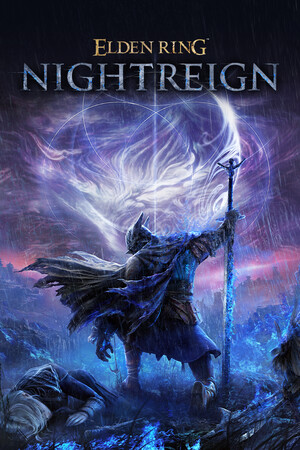 ELDEN RING NIGHTREIGN
 Cyberpunk 2077
 Call of Duty®: Modern Warfare® 4
 Forza Horizon 5
 God of War Ragnarök
 FINAL FANTASY VII REBIRTH
 The Last of Us™ Part II Remastered
 Ghost of Tsushima DIRECTOR'S CUT
 Resident Evil 4
 The Last of Us™ Part I
 Palworld
Each time you quit a game, its save is backed up to Thinkmay Vault. If the machine breaks or you switch machines, you carry on where you stopped.
When you want more games, move up to Plus or buy Exclusive, paid in credit from your Thinkmay wallet.
Free-to-play games open straight from the app, no credit needed.
Open the app, play freeThe whole library of 117 games on a shared Steam account.
Rent Plus in the appA Steam account of your own for the game you want, bought outright.
See Exclusive gamesFor machines with an Intel or AMD chip.
Most laptops, gaming PCs and office machines.
For machines with a Snapdragon (ARM) chip.
For example Copilot+ PCs and Snapdragon Surface Pro models.
Ask questions, find teammates and suggest new games for ThinkPlay.
Support in Vietnamese, a channel to find teammates for multiplayer games, and news when a game joins Plus.
The questions players ask most about ThinkPlay
The Free plan is for players already on a Thinkmay Cloud PC. Open the ThinkPlay app on the machine to see the Free and Plus libraries, and play Free games straight away with no credit.
Vault backs up your save every time you quit a game. Every player gets 1 GB of Vault free, on the Free plan too. Need more room? Buy it in the app.
Plus is a monthly rental: the whole library of 117 games on a shared Steam account, played in Offline mode. Exclusive is a Steam account of your own for one game, bought outright: you can play online where the game has it, and it never expires.
Plus accounts are shared between players. Offline mode keeps your session running when someone else signs in.
Search for it in the app and press "Request for Plus" or "Request Exclusive". The app lets you know when it arrives.
Credit is the balance in your Thinkmay wallet. It pays for Plus, Exclusive and extra storage. Add it in the app only when you want to upgrade.
See the Free and Plus libraries in the ThinkPlay app. Add credit when you want more.
Open ThinkPlayFree for players already on a Thinkmay Cloud PC