Does Elden Ring have a phone version? No — Elden Ring has never had an official mobile release from FromSoftware/Bandai Namco, on either Android or iOS. Any app named "Elden Ring Mobile" or similar on the App Store/Play Store is a fake, clone, or scam — unrelated to the real game. The only way to play the actual Elden Ring on a phone is via Cloud PC: the game runs on a real machine in a datacenter, and your phone just receives the video stream through a browser.
Quick summary: Elden Ring has no official mobile release from FromSoftware — any "Elden Ring Mobile" app on the App Store/Play Store isn't the real game. The only way to play the real thing on a phone is via Cloud PC: open a browser, log into Thinkmay, and virtual controls overlay the game screen automatically. Needs a stable 50 Mbps+ connection, plans start at 29,000đ/3h, but the 699,000đ plan (AMD EPYC Milan CPU) is recommended for smoother play.
How to play Elden Ring on your phone via Thinkmay
No rooting, no emulator install, no sideloaded APK files. Everything runs through Chrome or Safari.
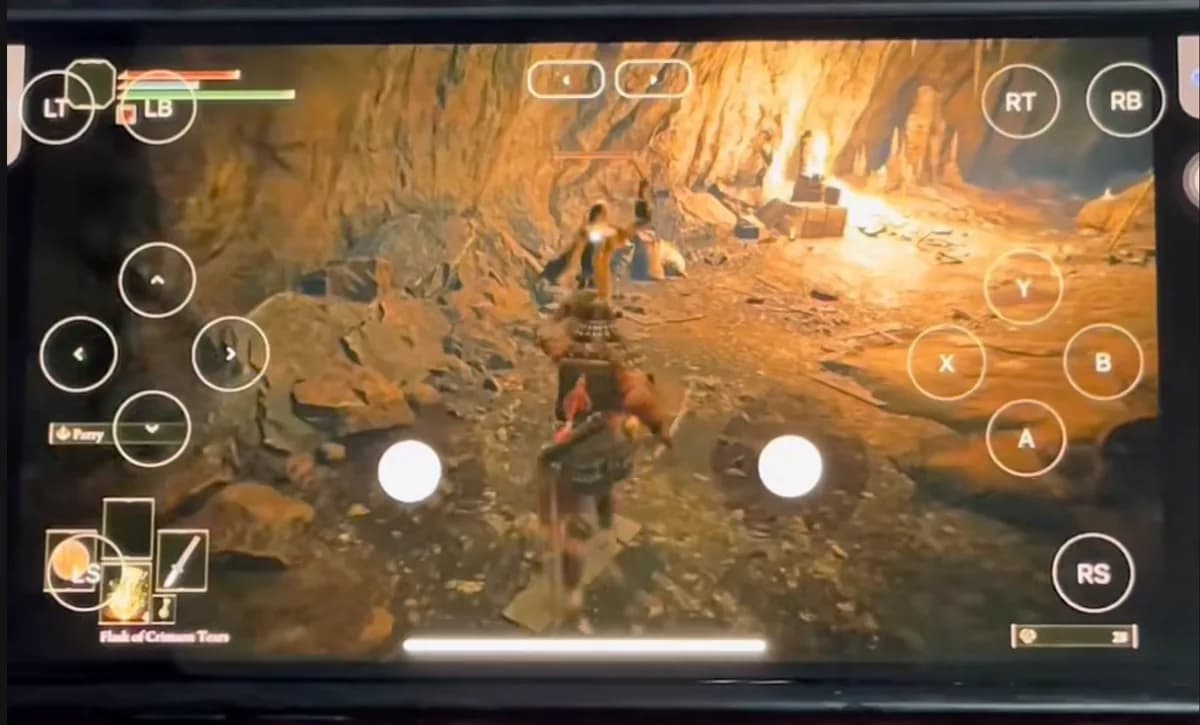

- Open your phone browser, go to thinkmay.net, log in or sign up
- Pick a plan (see pricing below) and start a session
- Open Steam inside the Cloud PC, sign in with the Steam account that owns Elden Ring
- Virtual controls (LT/RT, A/B/X/Y, joystick) overlay the screen automatically — play right away, no extra setup
Phone requirements to play Elden Ring via Cloud PC
Since all processing happens on the server, your phone doesn't need much horsepower — just a modern browser and smooth video decoding.
| Device | Minimum | Recommended |
|---|---|---|
| Android | Snapdragon 660 / 6GB RAM / Android 9 | Snapdragon 8xx / 8GB RAM / Android 12+ |
| iPhone / iPad | iPhone 8 / 3GB RAM / iOS 13 | iPhone 12+ / 4GB RAM / iOS 15+ |
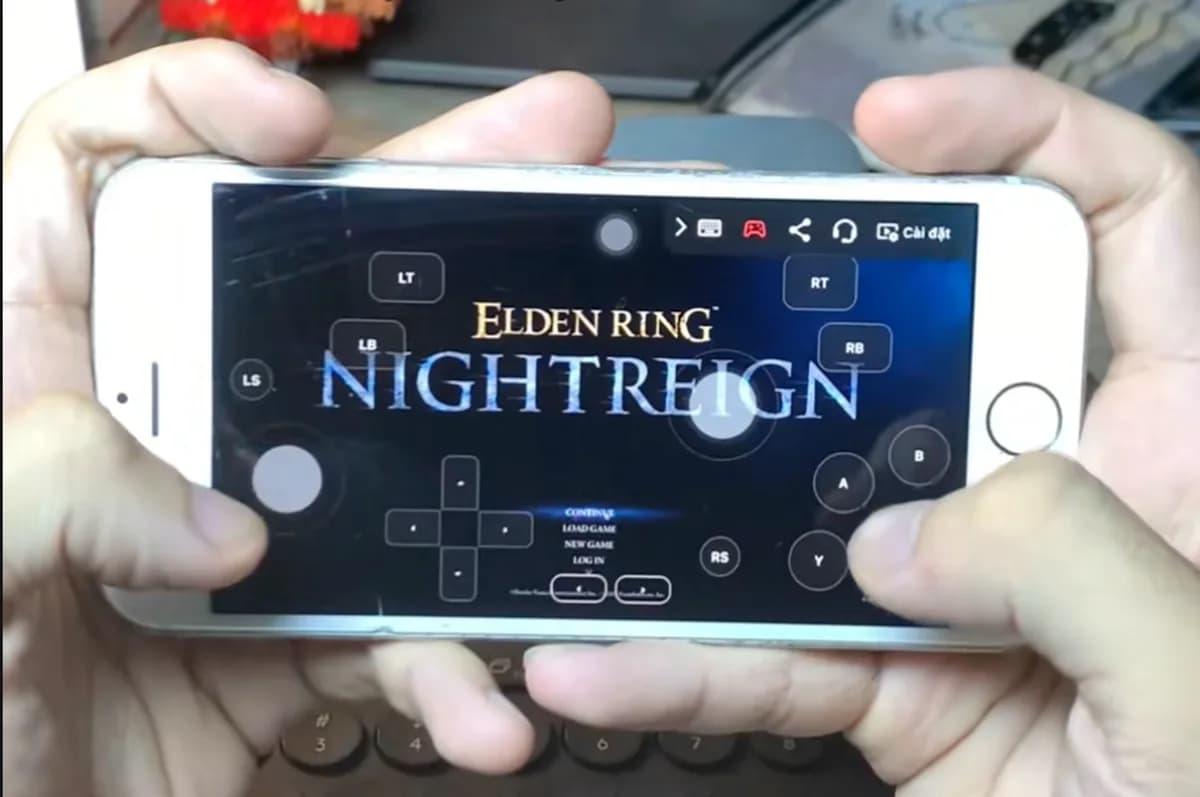
The photo below is Elden Ring Nightreign actually running on an older iPhone via Thinkmay — proof of how low the real hardware bar is.
Cost of playing Elden Ring on your phone
Important caveat: Elden Ring is fairly CPU-heavy (lots of enemy AI, constant world streaming), so the experience depends on CPU more than most games — even on a phone. The cheapest plan uses a Xeon Platinum CPU with fairly low FPS.
| Plan | CPU / GPU | Duration | Price |
|---|---|---|---|
| Hourly plan | Xeon Platinum / RTX 3060Ti | 3-hour session | 29,000đ — low FPS, trial only |
| Basic monthly | Xeon Platinum / RTX 3060Ti | 120 hours / 30 days | 349,000đ — still CPU-limited |
| Premium monthly | AMD EPYC Milan / RTX 5060Ti | Unlimited / 30 days | 699,000đ — recommended for Elden Ring |
If you just want to try playing on your phone for a few hours, the 29k plan is enough. For regular play, go straight for the 699k plan.
Can you play over mobile data (4G/5G)?
Yes, but Wi-Fi is still the better choice. Vietnamese 4G/5G networks typically reach 30-80 Mbps, enough to meet the minimum, but ping is usually higher and less stable than fiber — expect stutter when moving between cell towers.
Another thing to note: playing over 4G/5G uses significant data — roughly 1-2GB per hour of continuous play, depending on video quality. Prefer stable Wi-Fi for long sessions, and save 4G/5G for short play while on the move.
- Wi-Fi: most stable, recommended for long sessions
- 4G/5G: playable but uses data (~1-2GB/hour) and ping is less stable
- Avoid playing while moving fast (car, train) — switching cell towers causes stutter
Does Elden Ring have an official phone version?
No. FromSoftware/Bandai Namco has never released Elden Ring for Android or iOS. Any similarly-named app on the App Store/Play Store isn't the real game.
Do you need root/jailbreak to play Elden Ring on your phone via Cloud PC?
No. Just open Chrome or Safari — no Android rooting, no iPhone jailbreak, no sideloaded files needed.
Can an older phone play Elden Ring via Cloud PC?
Yes. Android from Snapdragon 660/2018 onward or iPhone 8 and later both work, since the phone only displays the stream, not processing the game.
Can you play Elden Ring over 4G/5G mobile data?
Yes if speed reaches at least 50 Mbps, but Wi-Fi is much more stable. 4G/5G also uses about 1-2GB of data per hour of play.
How much does playing Elden Ring on a phone cost?
Hourly plans start at 29,000đ/3h to try. For regular play, go with the 699,000đ premium monthly plan (AMD EPYC Milan CPU) for more stable FPS.
Does Nightreign play on a phone via Cloud PC?
Yes. Nightreign runs on Thinkmay's RTX GPU just like the original, playable on both Android and iPhone via the same browser-streaming setup.
Related reading
Conclusion
Elden Ring has no official mobile version, but you can play the full game on your phone via Thinkmay Cloud PC — no rooting, no emulators, no sideloaded files. Since the game is fairly CPU-hungry, pick the 699k plan (AMD EPYC Milan) instead of the cheapest one, and prefer stable Wi-Fi for the smoothest experience.