Can a MacBook M-series play Hogwarts Legacy? There's no way to install it directly — Avalanche Software and Warner Bros have never released a macOS version of Hogwarts Legacy, even on the strongest MacBook M-series (M3 Max, M4 Pro). There are two common workarounds: Parallels Desktop or CrossOver, running the Windows version through virtualization/translation — but both hit significant performance issues with a heavy Unreal Engine 4 title like Hogwarts Legacy. Cloud PC is the only way to play the real Windows version, stable, with zero compatibility worries — but you still need to own the game on your own Steam/Epic account.
Quick summary: Hogwarts Legacy has no native macOS build — it's only released for Windows PC, PS4/PS5, and Xbox. Even the strongest MacBook M-series chips (M3 Max, M4 Pro) can't install it directly. Parallels Desktop and CrossOver can run the game through a Windows translation layer, but Hogwarts Legacy is already one of the heaviest Unreal Engine 4 games (detailed castle, dense NPC crowds in Hogsmeade), and adding a translation layer drops FPS heavily and increases graphical glitches/crashes. Thinkmay Cloud PC lets you rent a real Windows machine reliably on a MacBook — your device just needs Safari or Chrome, but you still need to own the game on your own Steam/Epic account. Pick the 699,000đ plan (AMD EPYC Milan CPU + RTX 5060Ti with 16GB VRAM) for the optimal experience.
Why doesn't Hogwarts Legacy run directly on MacBook?
Avalanche Software has never announced plans for a macOS version of Hogwarts Legacy since its 2023 launch. This isn't about raw hardware power — M-series chips (M1-M4) are theoretically more than capable — it's because the game was built for Windows DirectX and Unreal Engine 4 optimized for x86 architecture, with no native build for Apple Silicon or Metal (macOS's graphics API).

| How to play on MacBook | How it works | Verdict |
|---|---|---|
| Direct install | Impossible — no macOS build exists | ✗ Not feasible |
| Boot Camp | No Windows support on Apple Silicon | ✗ Only works on older Intel Macs |
| Parallels Desktop / CrossOver | Runs Windows via virtualization/translation layer | △ Works but stutters badly, graphical glitches |
| Cloud PC (Thinkmay) | Rents a real Windows machine, streams through a browser | ✓ Stable, no extra setup needed |
Can Parallels and CrossOver run Hogwarts Legacy?
Both tools can run Hogwarts Legacy to some degree, but neither is a reliable solution for a heavy open-world AAA title like this — especially one that already demands 16GB RAM and significant VRAM even on a real Windows PC.
Parallels Desktop virtualizes an entire Windows OS, so the GPU has to split its power between the virtualization layer and the game — Hogwarts Legacy typically loses 40-60% FPS compared to running on a real Windows PC with the same specs, and crashes are common when loading the castle. CrossOver uses an API translation layer instead (not full OS virtualization), so it's lighter, but Hogwarts Legacy relies heavily on Unreal Engine 4 graphics features the translation layer doesn't handle well — expect texture glitches, incorrect shadows, or mid-game crashes.
Real-world result: playable for the first few hours in outdoor areas, but serious issues tend to appear in complex scenes like the castle's Great Hall or the NPC-dense town of Hogsmeade.

How does Cloud PC work on a MacBook?
Thinkmay Cloud PC runs Hogwarts Legacy on a real Windows machine in a datacenter — with an RTX 3060Ti or 5060Ti GPU, running the original game with no translation layer or virtualization involved. Your MacBook just receives the video stream through Safari or Chrome and sends back keyboard/mouse input.
Since there's no intermediate translation layer, there's no Unreal Engine 4 compatibility issue, no texture glitches or emulation-related crashes — the experience is identical to playing on a real Windows PC. Note: this is a machine rental — you still need to sign into a Steam/Epic account that owns Hogwarts Legacy inside the Cloud PC.
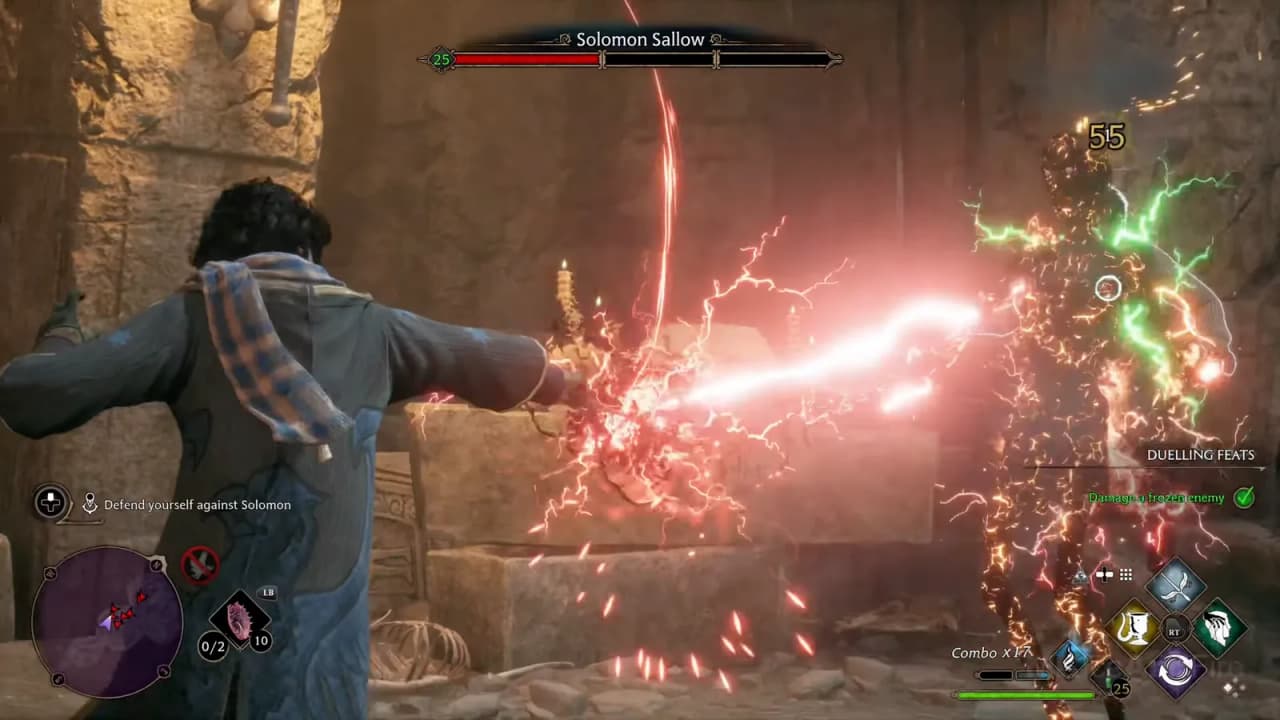
Cost of playing Hogwarts Legacy on MacBook via Cloud PC
Important caveat: the 29,000đ and 349,000đ plans use a shared Xeon Platinum CPU and only 8GB VRAM — they run Hogwarts Legacy but aren't optimal, only a playable-level experience, and struggle to stay smooth at Hogwarts castle and the NPC-dense town of Hogsmeade.
| Plan | CPU / GPU | Duration | Price |
|---|---|---|---|
| Hourly plan | Xeon Platinum / RTX 3060Ti (8GB VRAM) | 3-hour session | 29,000đ — playable but not optimal |
| Basic monthly | Xeon Platinum / RTX 3060Ti (8GB VRAM) | 120 hours / 30 days | 349,000đ — same, just a playable-level experience |
| Premium monthly | AMD EPYC Milan / RTX 5060Ti (16GB VRAM) | Unlimited / 30 days | 699,000đ — strongly recommended for the optimal experience |
This is just the Cloud PC machine rental cost — you still need to own Hogwarts Legacy on your own Steam/Epic account (~$40-60). Compared to buying a Parallels Desktop license (roughly $100/year) that still stutters badly, renting Cloud PC hourly or monthly is often cheaper and far more stable for a heavy AAA title like this.
What does a MacBook need for smooth Cloud PC?
Since your MacBook doesn't process game graphics, hardware requirements are close to negligible — any MacBook running modern macOS (even older Intel models) works fine, as long as the browser is supported and the connection is stable enough.
- MacBook: any model from 2015 onward (Intel or M-series) works, no strong specs needed
- Network: minimum 50 Mbps stable, recommended 100 Mbps+, ping under 50ms
- Browser: latest Safari or Chrome, no need to install Parallels/CrossOver/Boot Camp
Can a MacBook M-series play Hogwarts Legacy?
Not through a direct install, since Avalanche Software/Warner Bros hasn't released a macOS version. It plays through Parallels/CrossOver (weak performance, crash-prone) or via Cloud PC (stable, recommended).
Does Boot Camp run Hogwarts Legacy on a MacBook M-series?
No. Boot Camp only supports installing Windows on Intel-based Macs — Apple discontinued Boot Camp support on Apple Silicon (M1 and later).
Does Parallels Desktop run Hogwarts Legacy smoothly?
Not smoothly. Since Parallels virtualizes all of Windows, Hogwarts Legacy typically loses 40-60% FPS compared to a real Windows PC with the same specs, and crashes are common when loading Hogwarts castle.
Does CrossOver run Hogwarts Legacy better than Parallels?
It's lighter since it doesn't virtualize the whole OS, but Hogwarts Legacy's Unreal Engine 4 graphics features aren't well supported by CrossOver — expect texture glitches, incorrect shadows, or mid-game crashes.
Does renting Cloud PC on MacBook include the Hogwarts Legacy license?
No. Thinkmay rents you a Windows PC running on a real RTX GPU; you need to already own Hogwarts Legacy on your own Steam or Epic Games account to sign in and play inside the Cloud PC.
Can an older Intel MacBook play Cloud PC?
Yes. Since all graphics processing happens on the server, your MacBook just needs a modern browser — any Intel MacBook from 2015 onward works fine.
Related reading
Conclusion
Hogwarts Legacy has no native macOS build, even on the strongest MacBook M-series — Parallels and CrossOver can run it, but performance isn't reliable for a heavy Unreal Engine 4 title like this. Thinkmay Cloud PC is the only way to play the real Windows version reliably on a MacBook, with zero extra setup — but you still need the game license on your own Steam/Epic account. Pick the 699k plan (AMD EPYC Milan + RTX 5060Ti with 16GB VRAM) for a genuinely optimal experience.