

STAR WARS Jedi: Survivor™
Respawn
The story of Cal Kestis continues in STAR WARS Jedi: Survivor™, a galaxy-spanning, third-person, action-adventure game.
Instant PlayNo download, stream instantly
Get the Vietnamese translation Vietnamese translation by The Red TeamOfficial partner
Overview
STAR WARS Jedi: Survivor™ Deluxe Edition
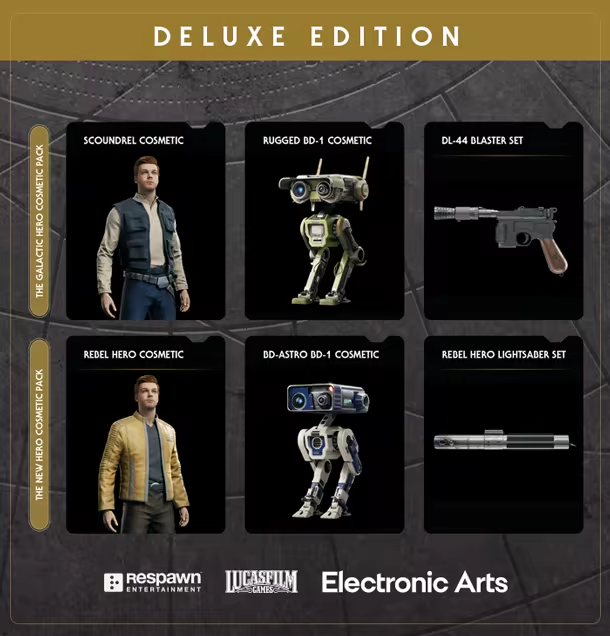
Unlock exclusive cosmetic items inspired by Han Solo™ and Luke Skywalker™, as seen in STAR WARS: A New Hope, with Star Wars Jedi: Survivor Deluxe Edition*.
- The “Galactic Hero” Cosmetic Pack includes:
- “Scoundrel” Cosmetic
- “Rugged” BD-1 Cosmetic
- "DL-44” Blaster Set
- “Scoundrel” Cosmetic
- The “New Hero” Cosmetic Pack includes:
- “Rebel Hero” Cosmetic
- “BD-Astro” BD-1 Cosmetic
- “Rebel Hero” Lightsaber Set
- “Rebel Hero” Cosmetic
About the Game
The story of Cal Kestis continues in Star Wars Jedi: Survivor™, a third-person, galaxy-spanning, action-adventure game from Respawn Entertainment, developed in collaboration with Lucasfilm Games. This narratively driven, single-player title picks up 5 years after the events of Star Wars Jedi: Fallen Order™ and follows Cal’s increasingly desperate fight as the galaxy descends further into darkness. Pushed to the edges of the galaxy by the Empire, Cal will find himself surrounded by threats new and familiar. As one of the last surviving Jedi Knights, Cal is driven to make a stand during the galaxy’s darkest times — but how far is he willing to go to protect himself, his crew, and the legacy of the Jedi Order?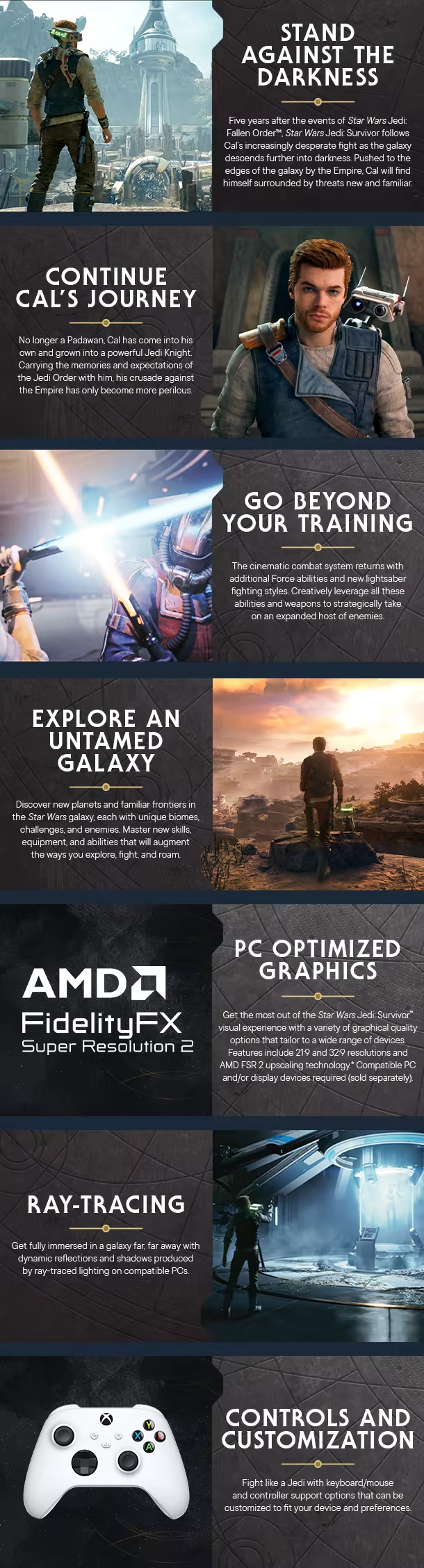
The feel
AtmosphericChaoticSci-FiSpace
Genres
ActionAdventure
Tags
ActionAction-AdventureAdventureAtmosphericCharacter CustomizationCombatDifficultExplorationGreat SoundtrackMultiplayerOpen WorldParkour
Ways to play
- Single-player
- Controller
Weak PC? It still plays
Download the translation, then play STAR WARS Jedi: Survivor™ on Cloud PC
STAR WARS Jedi: Survivor™ needs at least 8 GB of RAM and 8 GB of VRAM. Cloud PC is a Windows computer with a strong GPU in the cloud. You control it from your laptop, phone or desktop.
1
Turn on Cloud PC
Log in to Thinkmay and start your machine. You get a Windows desktop of your own.
2
Copy the translation in
The game comes preinstalled on Cloud PC. Download the translation on this page and copy it into the game folder.
3
Play in Vietnamese
Play on a laptop, phone or desktop. Controllers and microphones work.


Games with a similar feel
Atmospheric · Chaotic · Sci-Fi · Space

Starfield

Monster Hunter: World

Marvel's Guardians of the Galaxy

Hogwarts Legacy

Assassin's Creed® Revelations

Marvel’s Spider-Man Remastered

Fallout 4

BIOMUTANT

Sonic Frontiers

DARK SOULS™ III

Dragon's Dogma: Dark Arisen

DARK SOULS™: REMASTERED

METAL GEAR SOLID V: THE PHANTOM PAIN

STAR WARS Jedi: Fallen Order™

Prince of Persia: Warrior Within™

DEATH STRANDING DIRECTOR'S CUT

Aphelion

Prince of Persia®

Rise of the Tomb Raider™

The Outer Worlds

Assassin's Creed 2

UNCHARTED™: Legacy of Thieves Collection

Just Cause™ 3
