

Desktop Beach Girls
GosDev Production
Do you miss summer? Bring back that feeling of warmth and relaxation with hot babes in swimsuits on your desktop!
Instant PlayNo download, stream instantly
Overview
Do you miss summer? Bring back that feeling of warmth and relaxation with hot babes in swimsuits on your desktop!
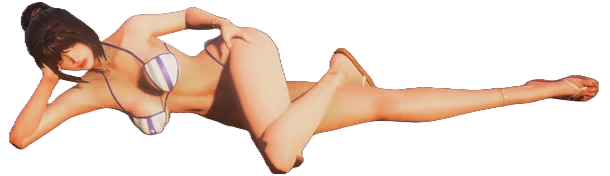
Add to your screen one of five girls in a beach style, which can be customized and placed anywhere on the desktop, set her to the dance that you like best, so that she dances brightly on top of all the windows, and you can have a pleasant vacation for a while without leaving your computer!


Add to your screen one of five girls in a beach style, which can be customized and placed anywhere on the desktop, set her to the dance that you like best, so that she dances brightly on top of all the windows, and you can have a pleasant vacation for a while without leaving your computer!
- Five gorgeous, diverse girls for every taste 👧👧🏻👧🏼👧🏽👧🏿
- Beach theme, allowing you to escape from routine for a while and immerse yourself in an atmosphere of relaxation 🏖️
- Move, twist and resize the girl so that she fits perfectly on your screen 👀
- Customize the girl, change clothes, hair color and body shapes to suit your taste 😏
- Choose a dance that suits your mood. Calm? Dynamic? Or something more interesting? 💃
- Listen to relaxing music 🎧
- Physics of all parts of the body when dancing and moving, don’t overdo it 👉🏻👈🏻
- Possibility of playing with one hand, ideally combined with the previous point 💪🏻
The feel
RelaxingChill
Genres
IndieSimulation
Ways to play
- Single-player
Weak PC? It still plays
Play Desktop Beach Girls on a weak PC
Desktop Beach Girls needs at least 2 GB of RAM. Cloud PC is a Windows computer with a strong GPU in the cloud. You control it from your laptop, phone or desktop.
1
Turn on Cloud PC
Log in to Thinkmay and start your machine. You get a Windows desktop of your own.
2
Install the game
Install Desktop Beach Girls from Steam as you would at home.
3
Play on any device
Play on a laptop, phone or desktop. Controllers and microphones work.
Games with a similar feel
Relaxing · Chill

aerofly RC 10 - Expansion Pack 2

Railroad Scheduler

BURST NOIR - Fireworks Simulator

Number Go Up

Karmic Wonders

Fakutori

aerofly RC 10 - Expansion Pack 1

American Truck Simulator - Road Trip: Ford

American Truck Simulator - South Dakota

Click & Mine

LIMINAL SORTING

Skyline Airways

Car Detailing Simulator: Prologue

Model Kit Studio

PC Building Simulator - Fractal Design Workshop

1998: The Toll Keeper Story Digital Artbook

Desktop Charging Station

Alembic

My Recycling Center 2 - Wastepaper Collection Trucks

A Game About Needle In A Haystack

Empty The Lake!

Electronics Depot Simulator

Gloop: Liquid Physics
